



A screen is a few lines of XML
Describe the screen in XML, laid out with flexbox; bind its views in C++. The focus moves with the D-pad on its own, touch and mouse work too, and every colour follows the theme.
<!-- resources/xml/activity/hello.xml -->
<aurore:AppletFrame>
    <aurore:Box
        title="Hello"
        axis="column"
        alignItems="center"
        justifyContent="center"
        gap="20">

        <aurore:Label
            text="@i18n/hello/welcome"
            fontSize="24" />

        <aurore:Button
            id="hello_button"
            style="primary"
            width="300"
            text="Say hello" />

    </aurore:Box>
</aurore:AppletFrame>// hello_activity.hpp
#include <aurore.hpp>
class HelloActivity : public aurore::Activity
{
public:
CONTENT_FROM_XML_RES("activity/hello.xml");
void onContentAvailable() override
{
button->registerClickAction([](aurore::View*) {
aurore::Application::notify("Hello!");
return true;
});
}
private:
AURORE_BIND(aurore::Button, button, "hello_button");
};Hello
Welcome to Aurore!
Back
Live demo
The real demo, in your browser
Aurore's demo compiled with Emscripten: the same code as on a Switch, drawn with WebGL 2. The keyboard, the mouse, a touch screen or the pad on screen; every theme and language.
Features
Everything a console menu needs
Made for controllers
Focus moves on its own with the D-pad; touch and mouse work too, and the footer shows the buttons that do something.
Flexbox layout
Every view is laid out by Yoga, described in XML, code only where it matters.
gap,flexWrap, a radius per corner.Vector graphics
Hardware-accelerated by nanovg: OpenGL, Direct3D 12, deko3d on the Switch, GXM on the Vita, citro3d on the New 3DS, scaled for a TV.
Ready-made components
Tabs, recycling lists and grids, settings cells, dialogs, action sheets, toasts, sliders, Markdown, all restyled by a theme.
Themes
Every colour is a theme key. Theme files and folders bring palettes, pictures, logos, icons and decorations, switched while the app runs, with contrast checked.
15 languages
One JSON catalogue per language, switched while the app runs; colour emoji and right-to-left text as options.
Tools
A test harness with simulated time and screenshot comparison, an inspector (F12), hot reload of XML and themes, a profiler, an app template.
The toolbox
Logger, animations, timers, background tasks, storage: what an app needs around its screens.
Cadran
A look of its own, without a line of code
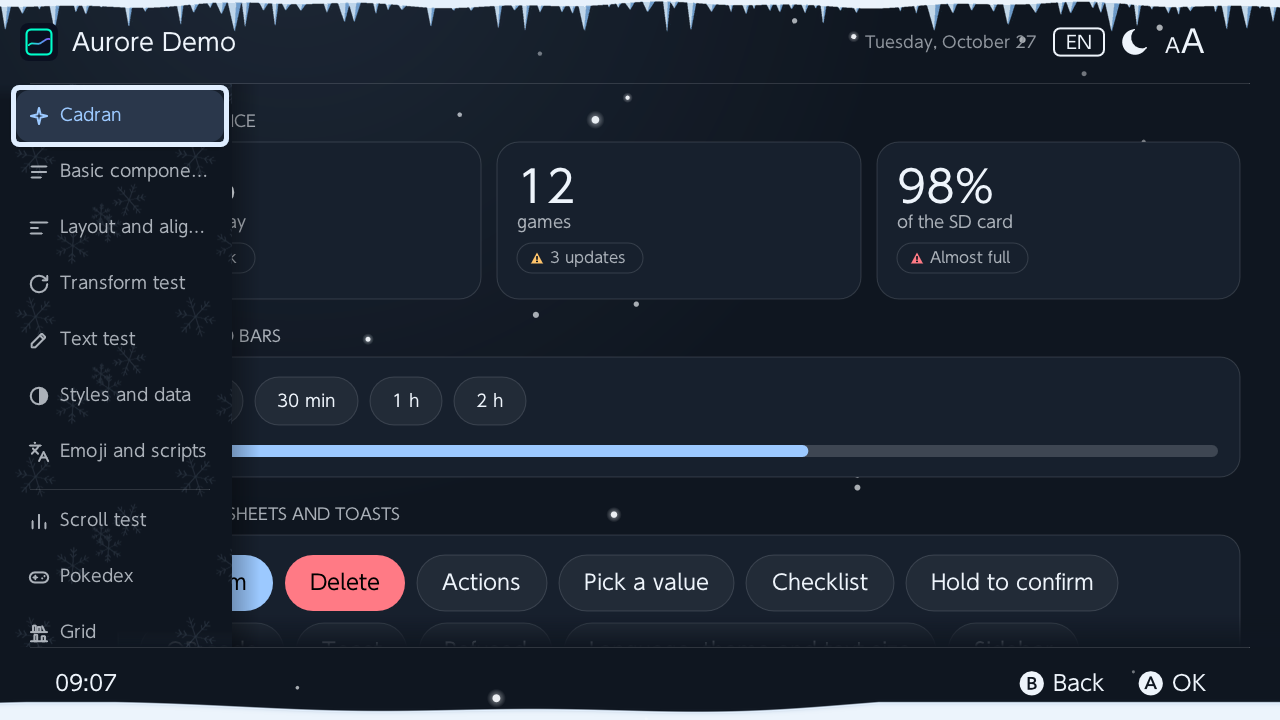
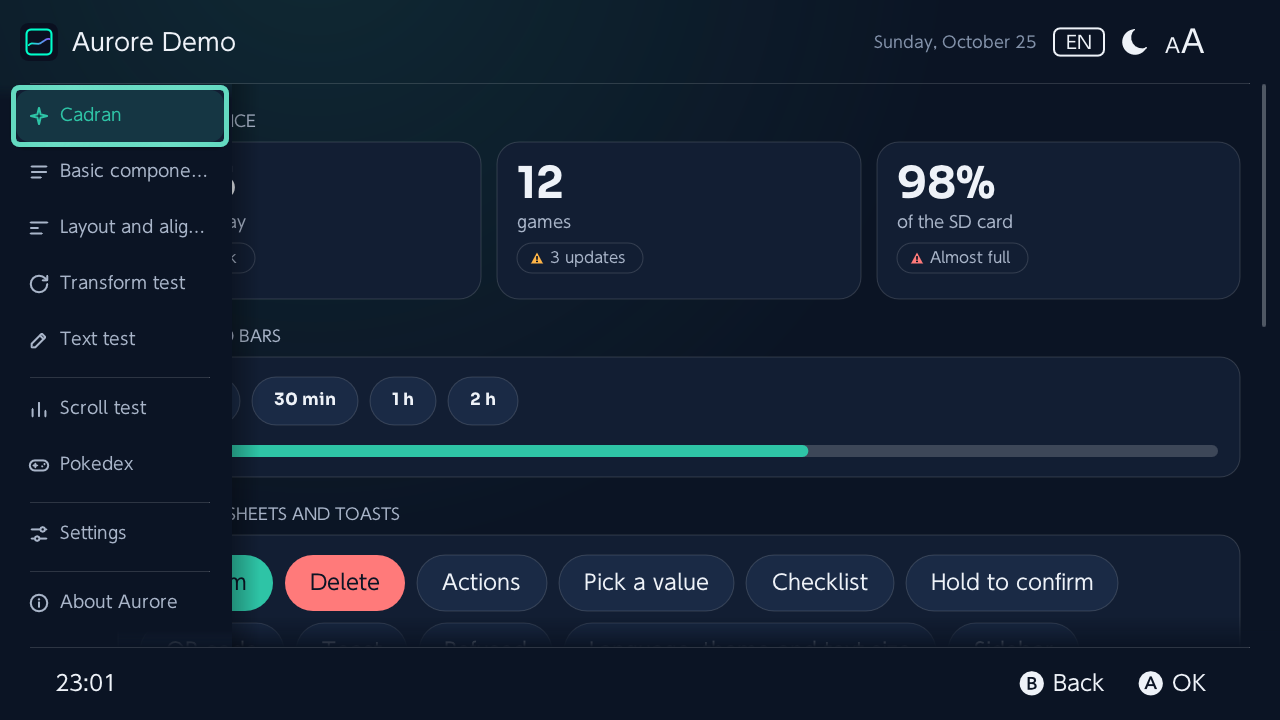
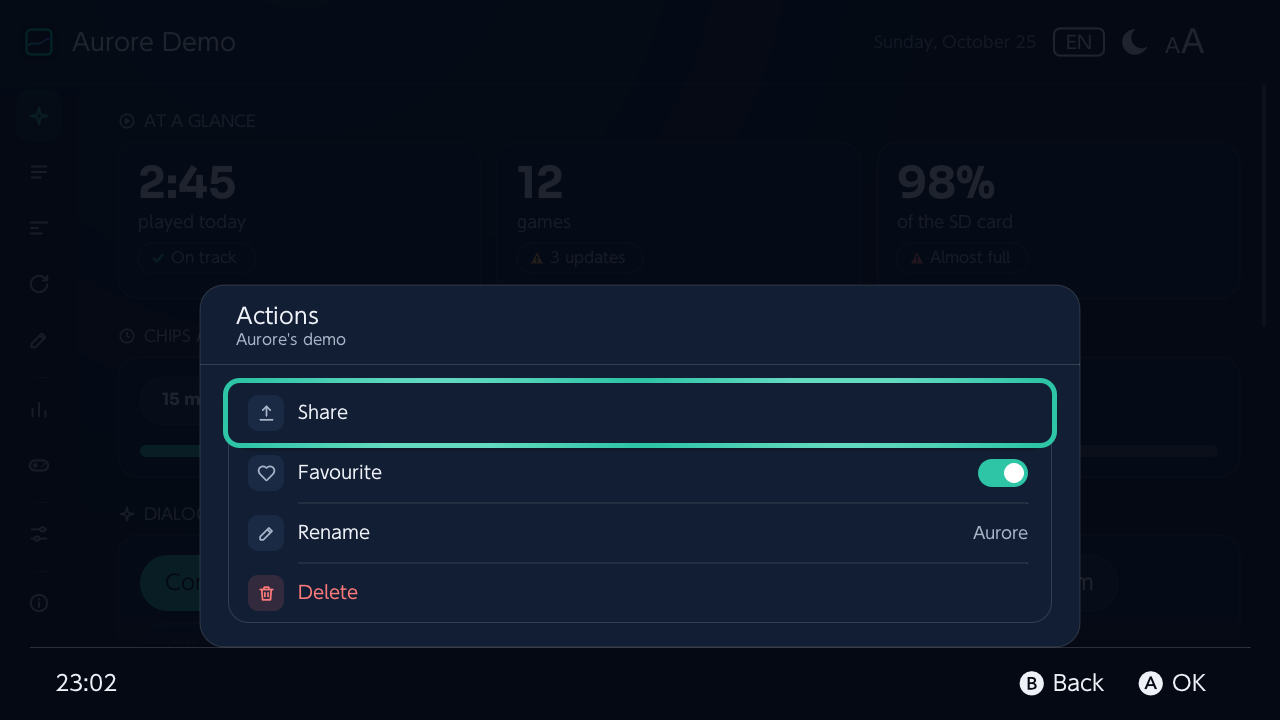
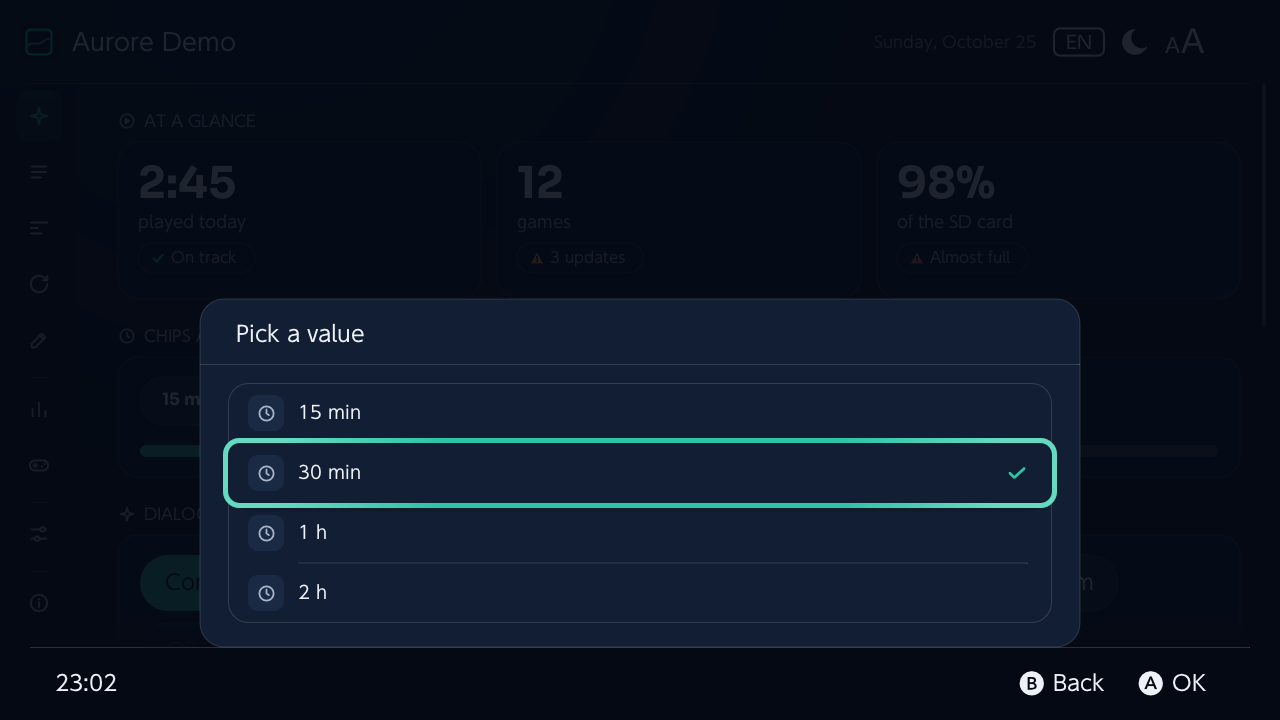
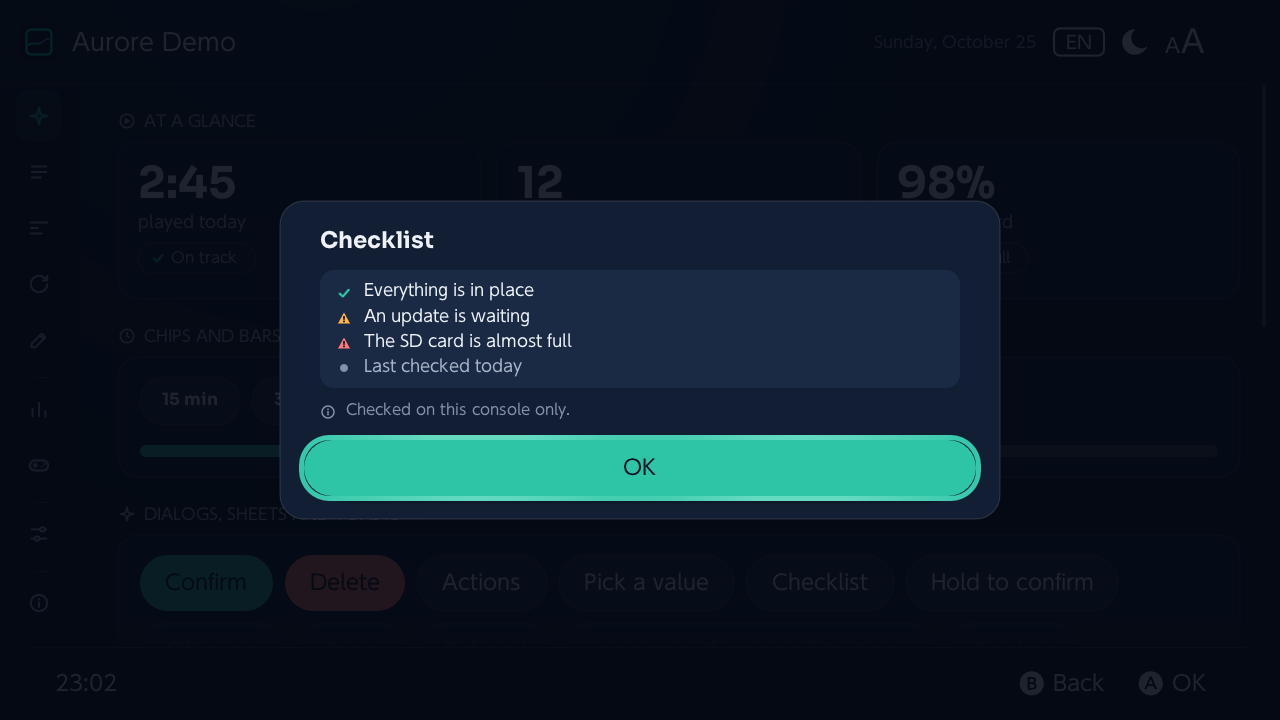
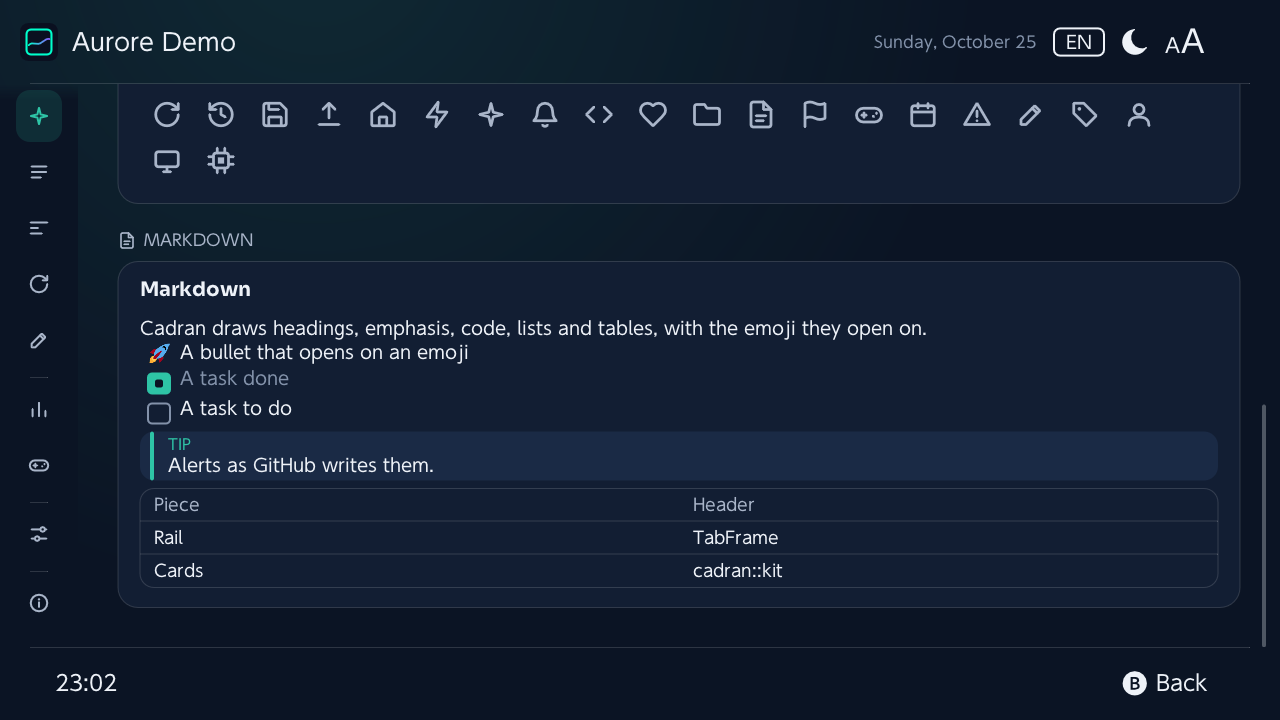
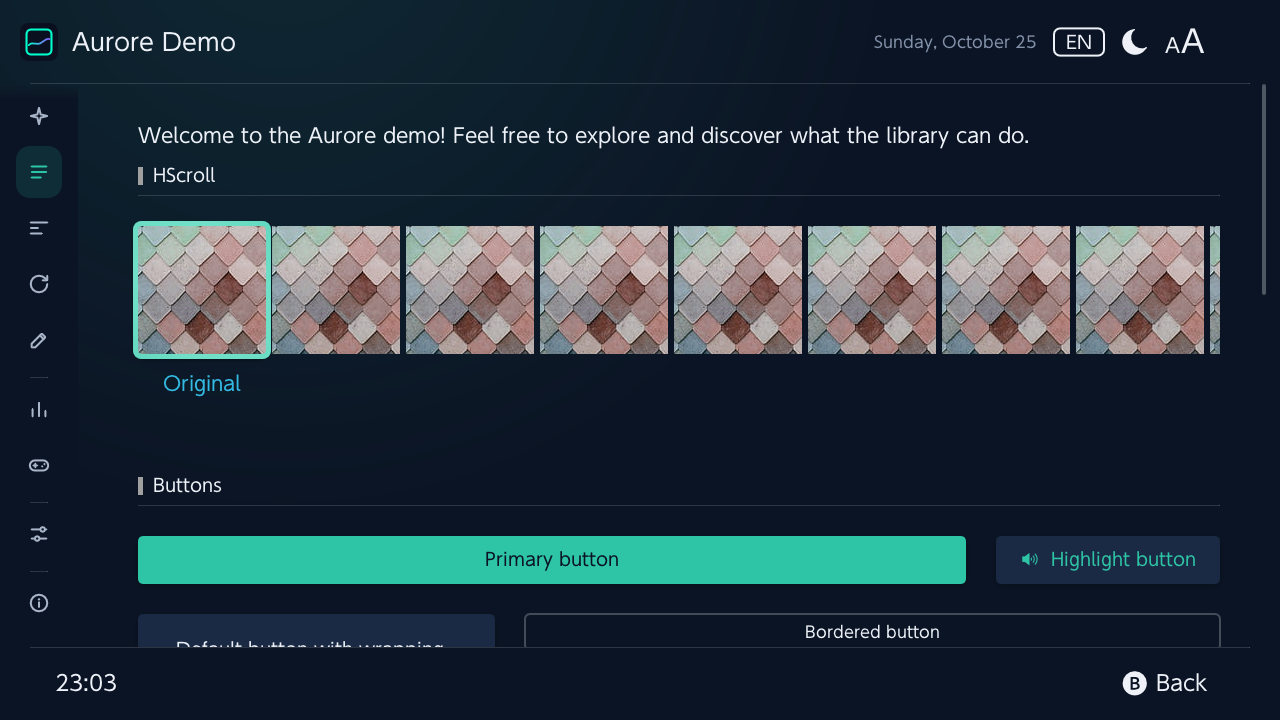
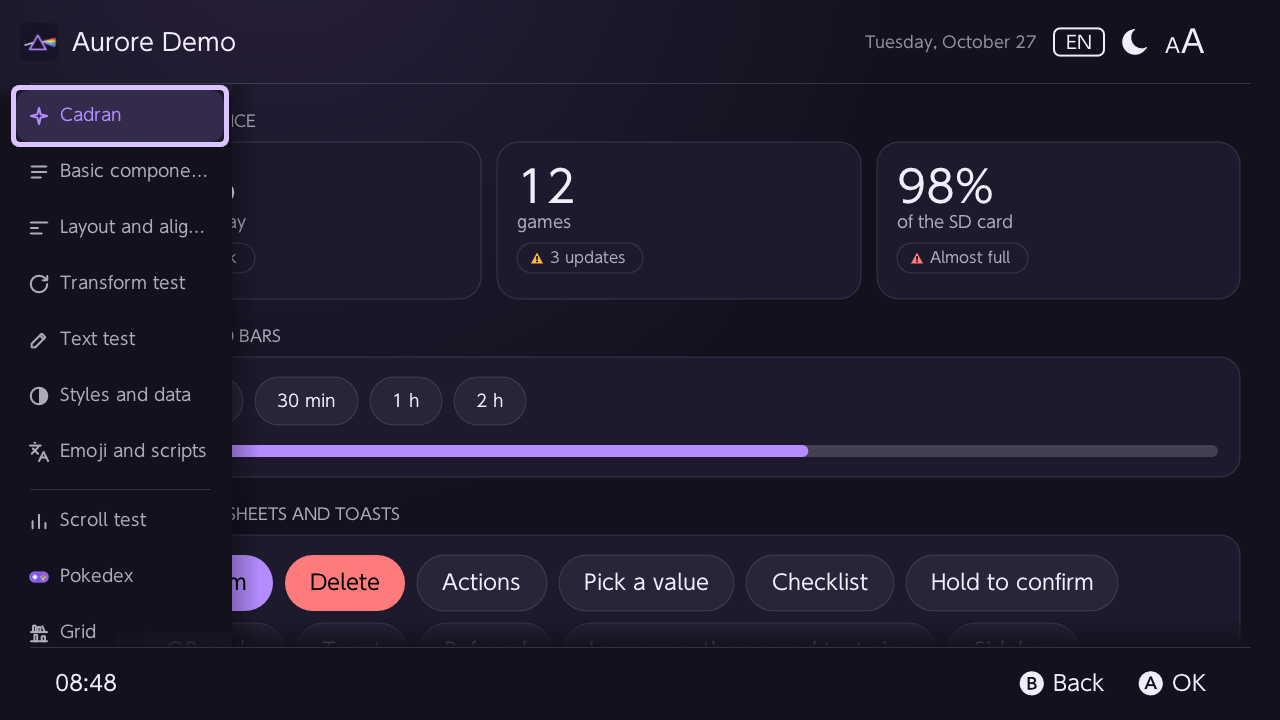
Cadran, the look of PlayGuard and PlayShelf, is Aurore's look: an icon rail, cards, modals, action sheets, vector icons, a light and a dark theme, language and theme switched while the app runs.
Screenshots
The demo, in a few looks
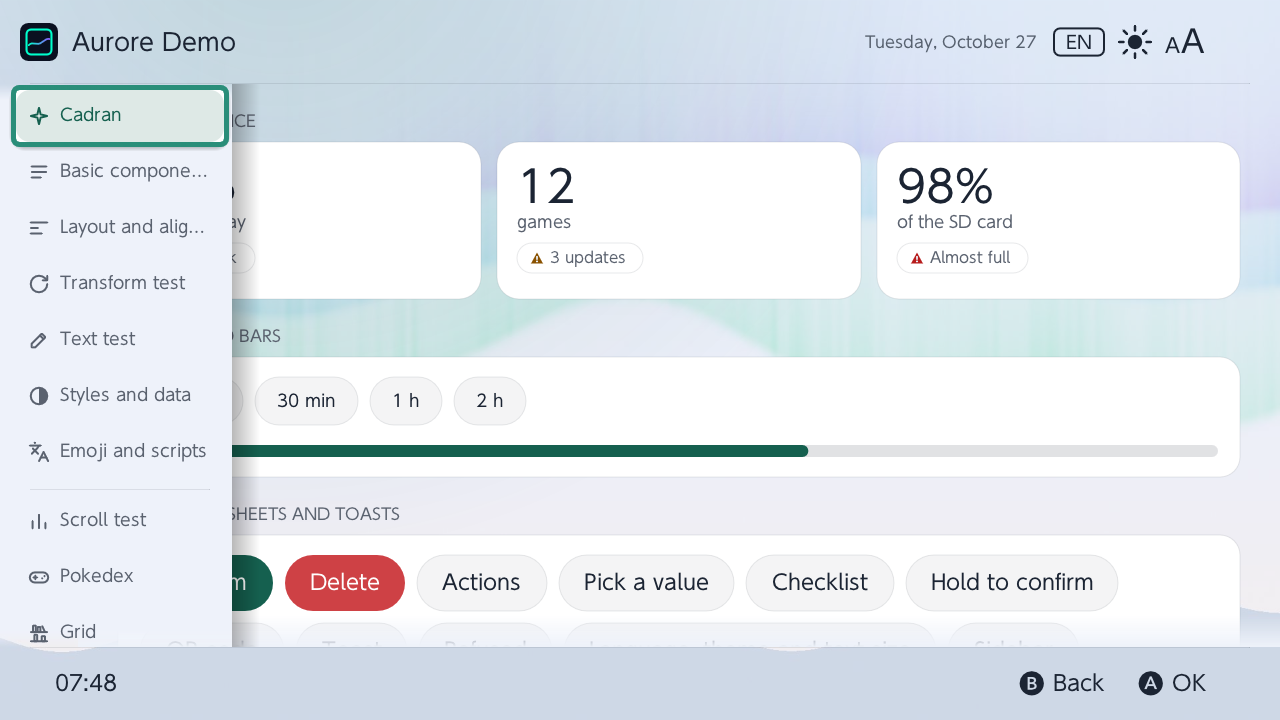
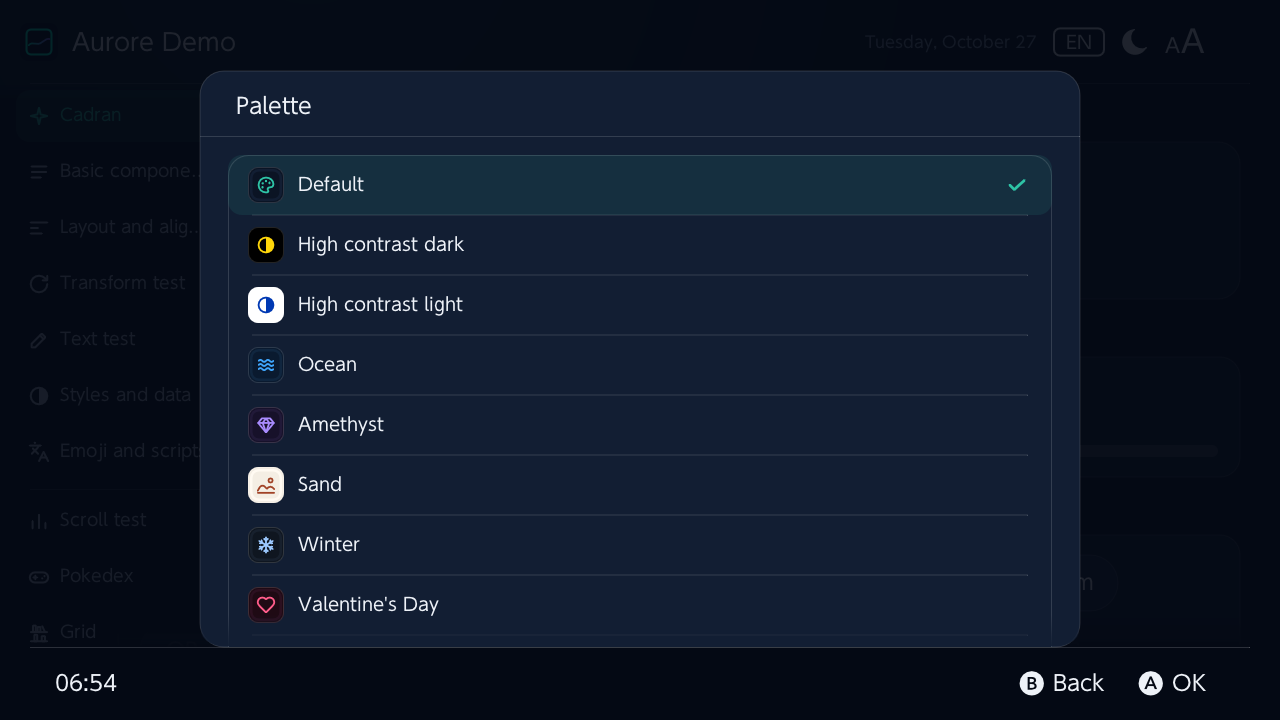
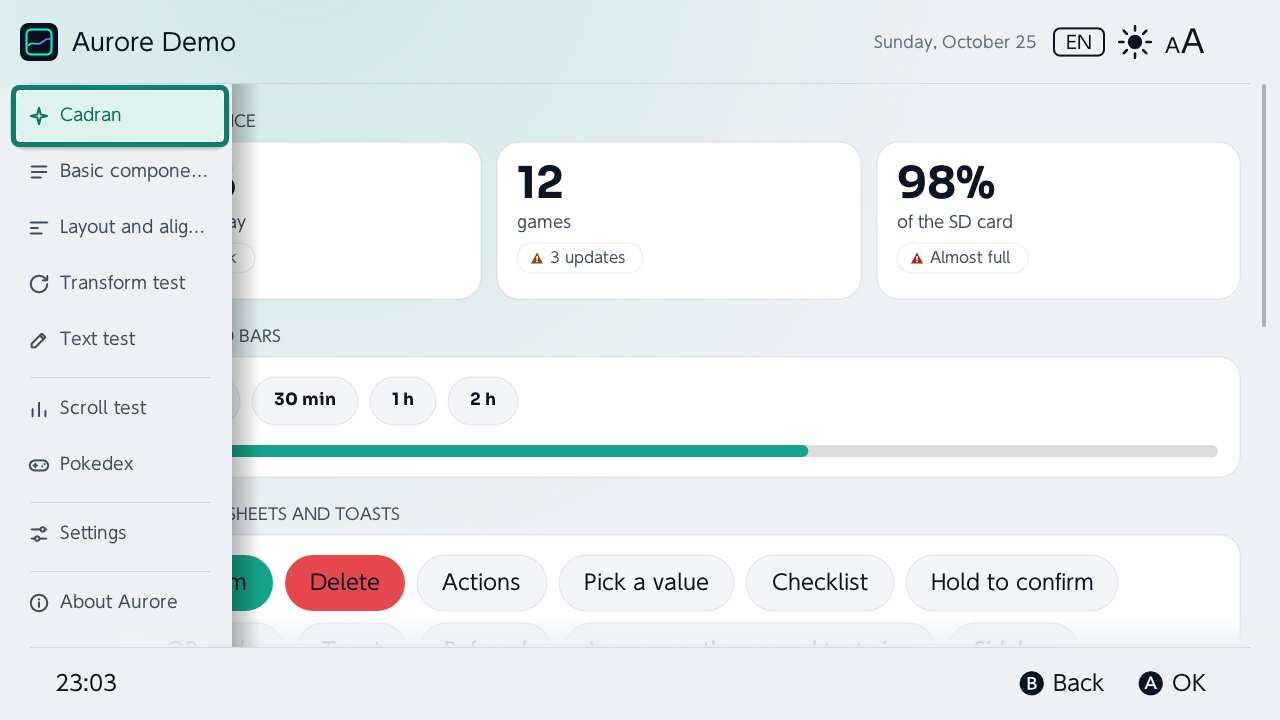
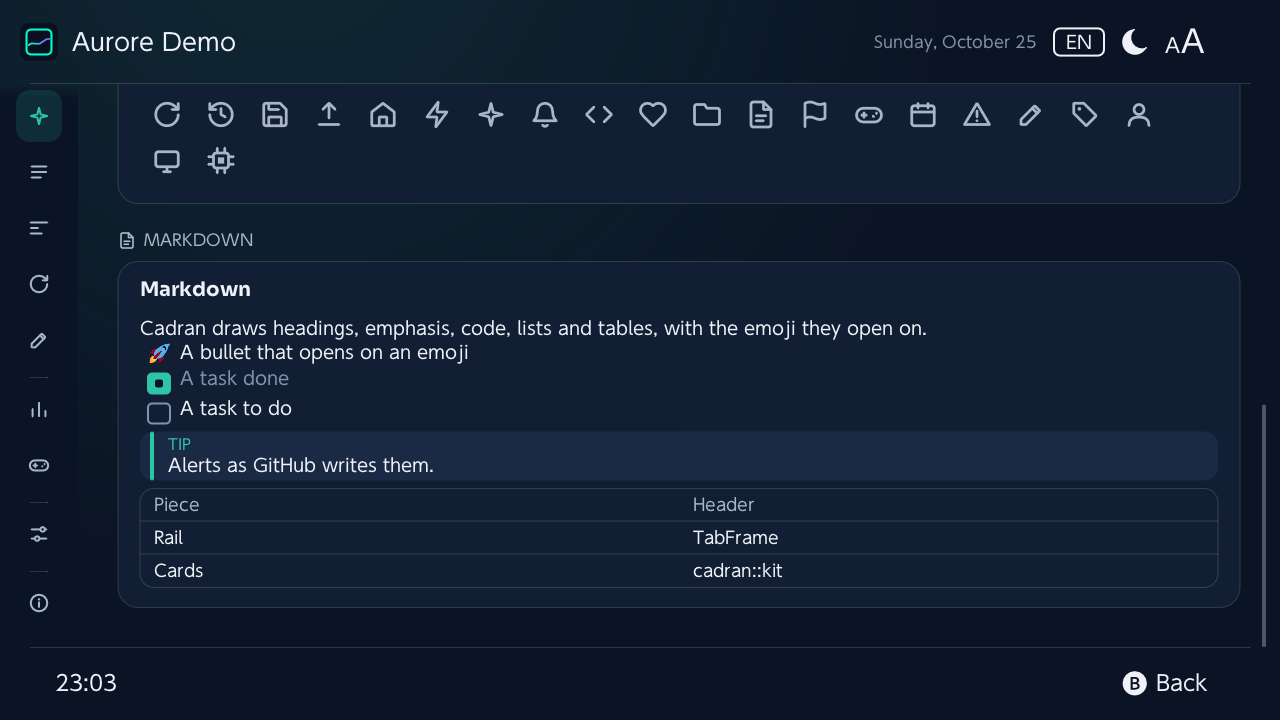
Simulated platforms
On every screen
The demo shows itself on each console from the desktop: its screen's size, the console's layout and renderer, the console drawn around it. --simulate 3ds, or a tile on the demo's welcome.
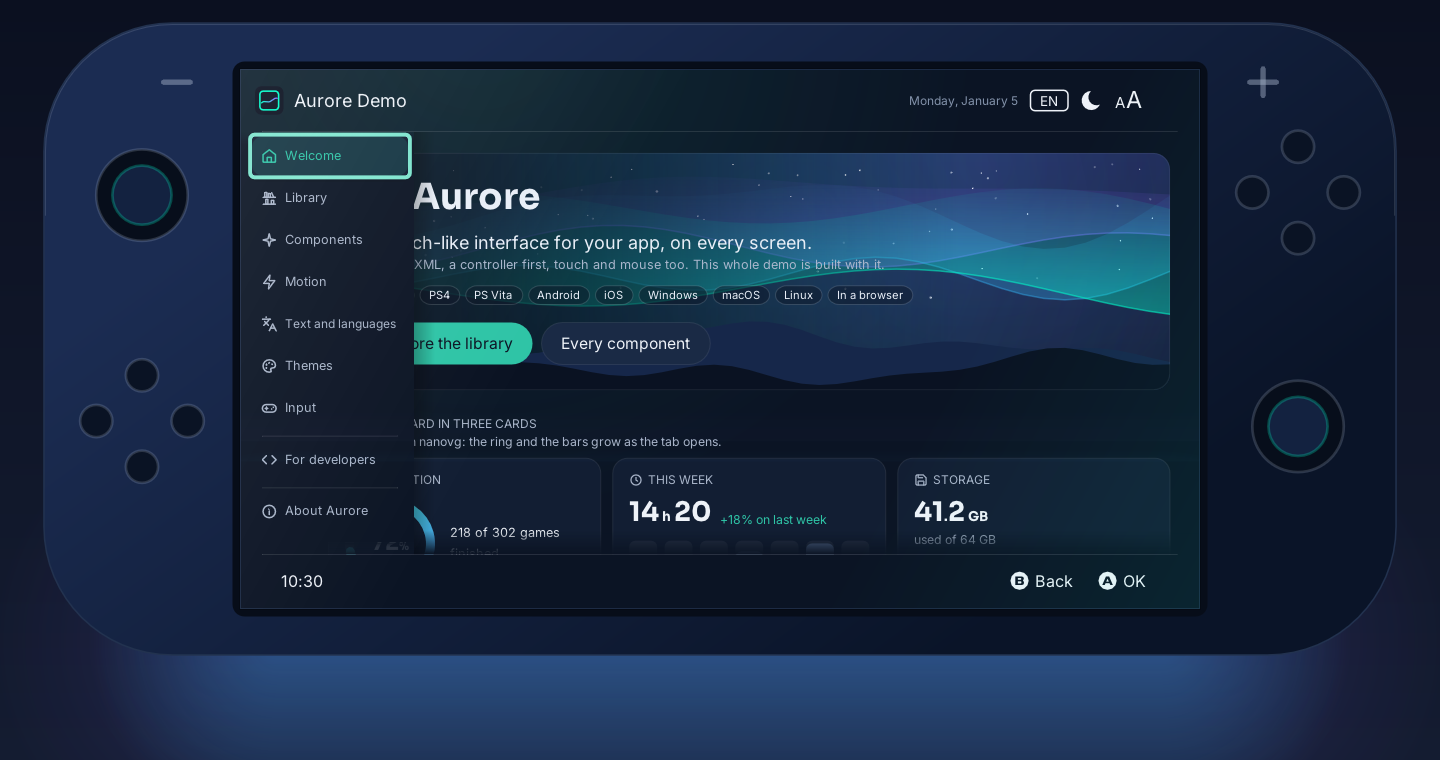
Switch1280 × 720
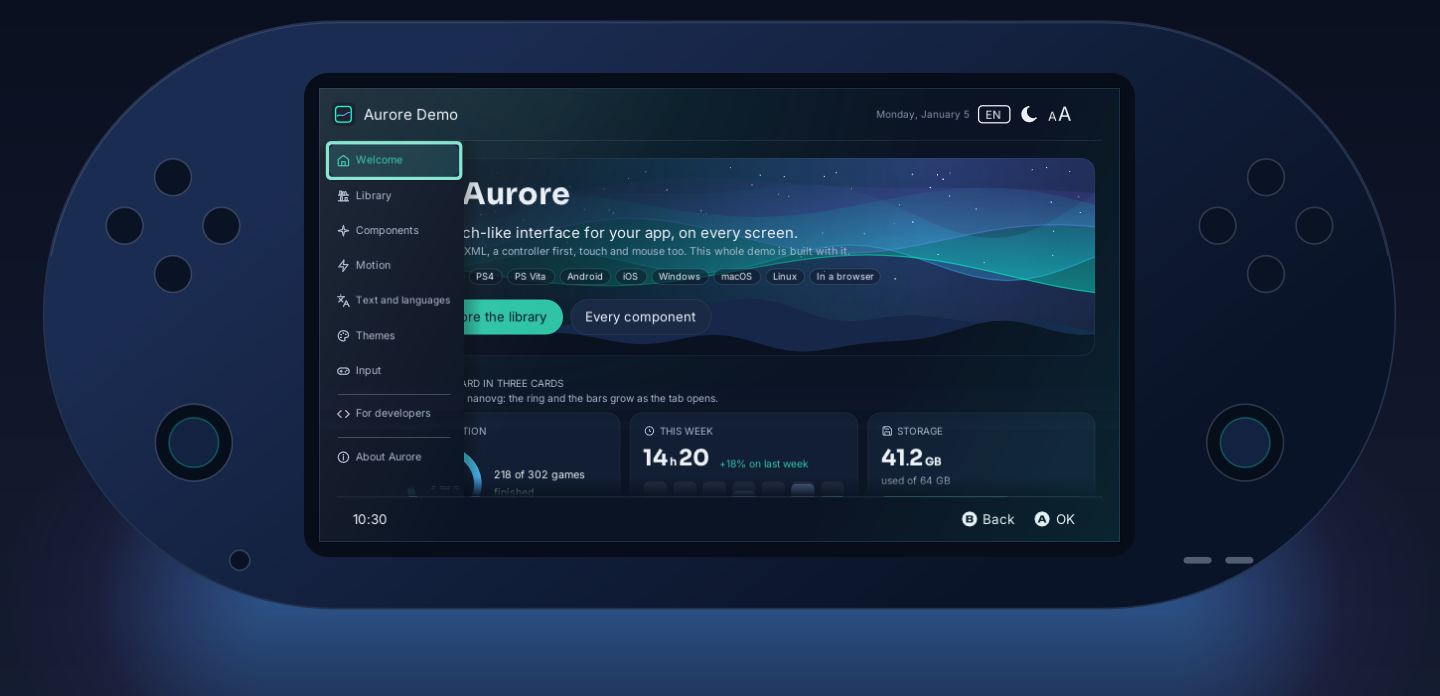
PS Vita960 × 544
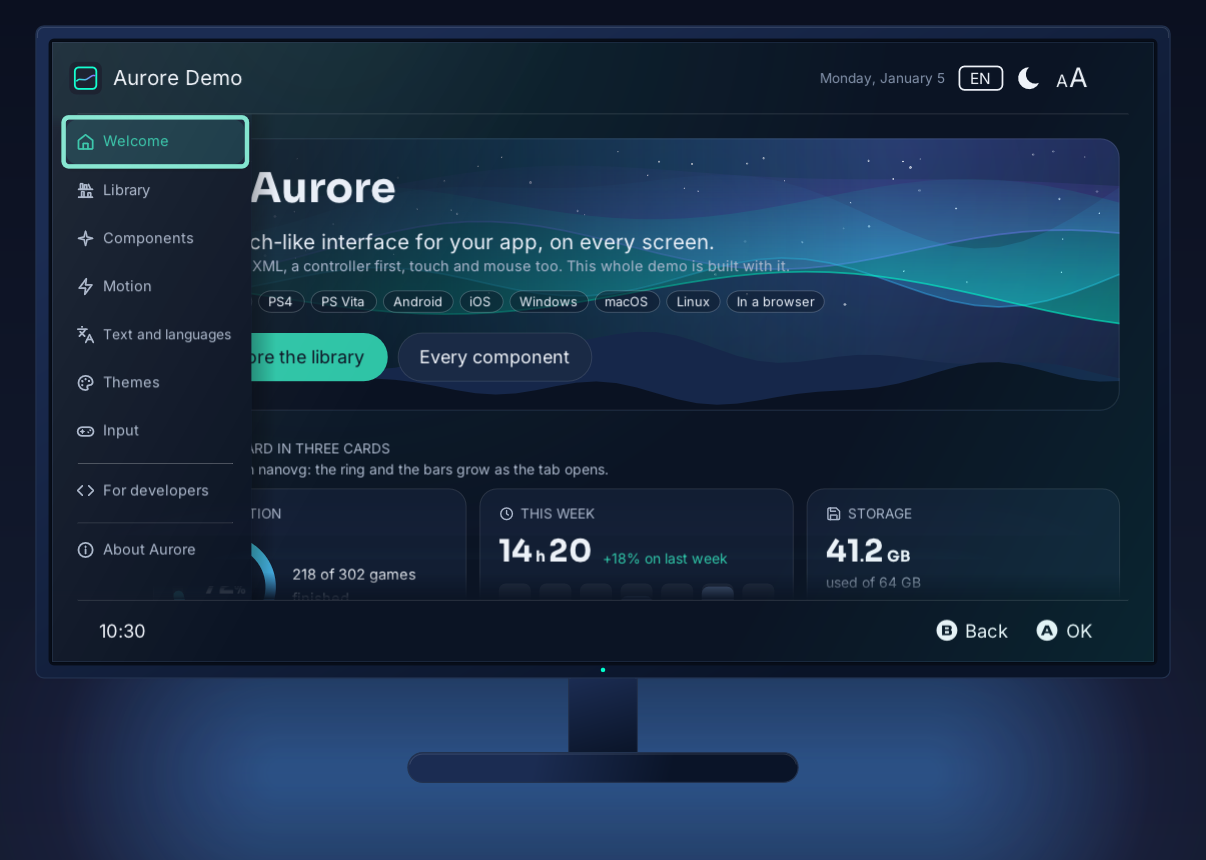
PS41920 × 1080
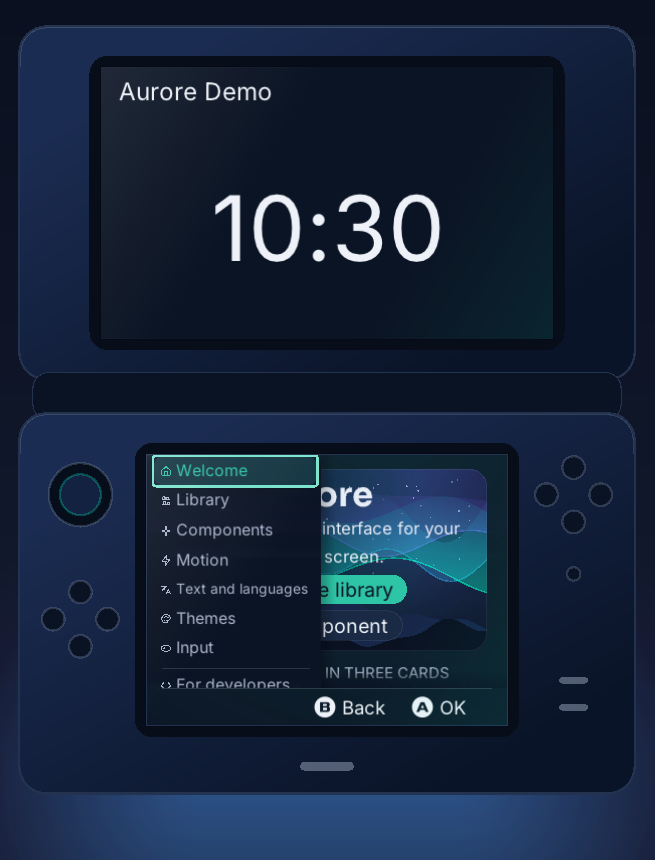
New 3DS320 × 240 + 400 × 240
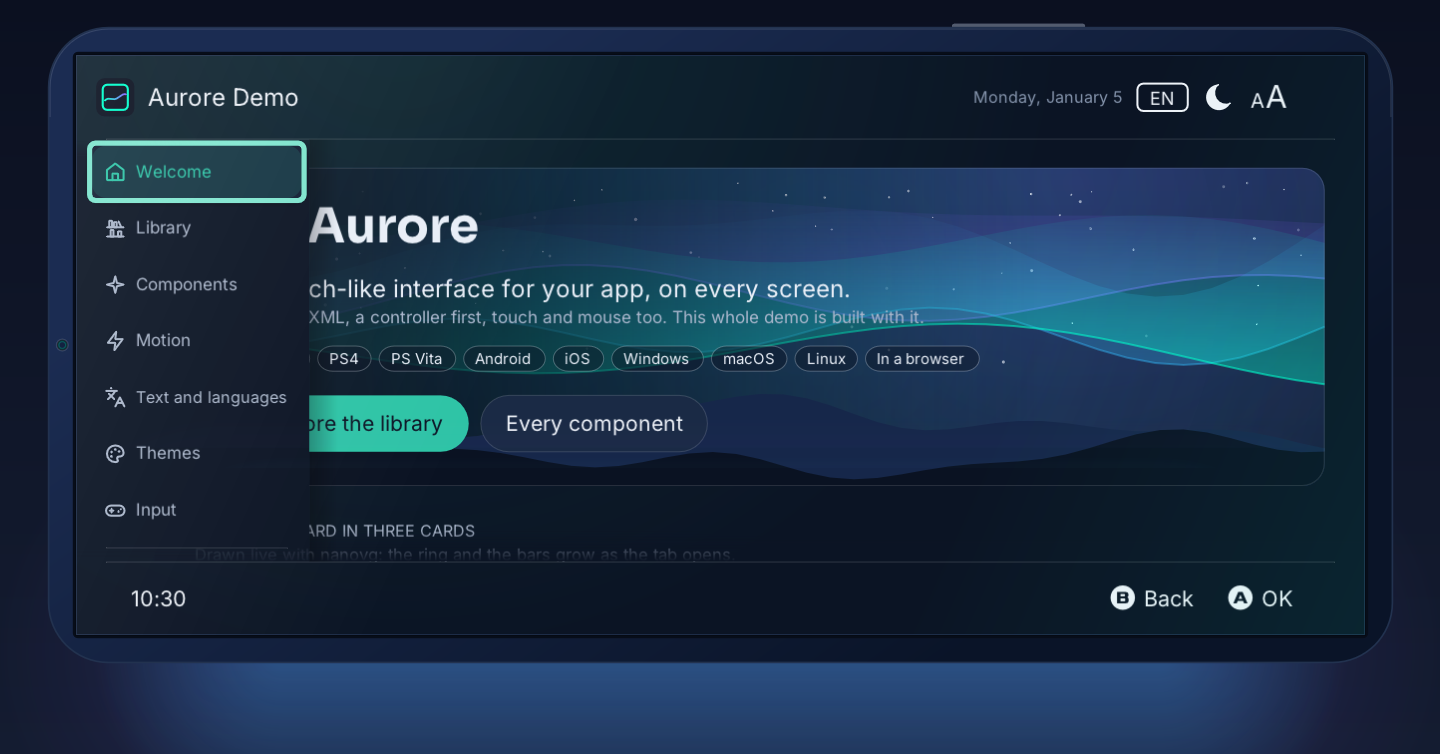
Phone1600 × 720
What Aurore adds
borealis, carried on
Aurore follows upstream (xfangfang/borealis) and adds fixes and features picked from other forks, and what its apps need: each one opt-in unless it is a fix.
- Themes: theme files and folders, palettes from one accent, presets, pictures, logos, icons, decorations and particles, all switched live.
- Styles: per-state styles (focus, pressed, disabled, hover), transitions, data binding and accessibility labels.
- Views: a recycling grid and row, context menus, icon buttons, Markdown.
- Layout: Yoga 3,
gap,flexWrapwith focus across the lines, a radius per corner, gradients, safe areas (notches, system bars, a TV's overscan). - Text: a font scale for every label, shrink-to-fit, clean line breaks.
- Focus and hints: no focus lost in hidden or destroyed views; steady footer hints.
- Platforms: SDL3 beside SDL2 (desktop, browser, Android, iOS), controllers reconnected under SDL, the browser (Emscripten), deko3d's command memory on the Switch.
- Speed: no relayout for an unchanged text or size, XML attributes registered on demand, unused textures freed.
Under the hood
A current stack, checked on every change
Read from the repository each time this site is built: the versions from the build files and the notices, the figures from the tests and the CI.
42
CI jobs on every pull request, consoles included
157
test cases in the headless harness
34
reference screenshots compared pixel by pixel
57/57
GitHub Actions pinned to a commit
Versions
- Language
C++23 (min. C++20) - CMake
3.16–3.31 - SDL3
3.4.18 - SDL
2.32.10 - GLFW
3.5.1 - glad
2.0.8 - Yoga
3.2.1 - {fmt}
12.2.0 - TinyXML-2
11.0.0 - JSON for Modern C++
3.12.0 - stb_image
2.30 - stb_truetype
1.26 - Tweeny
4.2.0 - Twemoji
17.0.3 - Android Gradle Plugin
9.5.0 - Gradle
9.8.2 - Android NDK
r30 - Android API
36 - Emscripten
6.0.13
Checked every time
- The demo runs under AddressSanitizer and UndefinedBehaviorSanitizer.
- Markdown and theme files fuzzed with libFuzzer, from the corpus the earlier runs grew.
- A build fails on a deprecated API: no deprecated code, no alias kept for later.
- Every source file formatted by clang-format 18.
- Each bundled library's version checked against its source and listed with its licence.
- Every Monday, the bundled components compared with their upstream's latest release; an issue lists those behind.
Use it
In your project
- Build your project as C++20, with RTTI and exceptions.
- Add Aurore as a submodule, and copy its
resourcesfolder to your project's root.git submodule add -b main https://github.com/JigSawFr/aurore.git library/aurore git submodule update --init --recursive - In your
CMakeLists.txt, includecommonOption.cmakeandtoolchain.cmakebeforeproject(), add the library after it, and linkAurore::aurore. - Pick the platform with
-DAURORE_PLATFORM=…:DESKTOP,SWITCH,PSV,PS4,ANDROID,IOS,TVOS,3DS.
Starting from scratch? template/ is a minimal app that builds for the desktop and the Switch.
Coming from borealis? Change the submodule, then rename brls::, <borealis.hpp> and BRLS_ to Aurore's names: a search and replace. →
Build the demo
On Linux, macOS or Windows; the other platforms' commands are those of the CI. →
git clone --recursive https://github.com/JigSawFr/aurore.git
cd aurore
cmake --preset desktop-glfw
cmake --build --preset desktop-glfw
./build/desktop-glfw/aurore_demo
Made with borealis
Apps that run on it
- PlayGuardParental controls for the Nintendo Switch, on the console
- PlayShelfA game library, catalogue and downloads for the Switch
- Moonlight-SwitchMoonlight game streaming for the Switch
- wiliwilibilibili client for PC, PS4, PS Vita, Xbox and the Switch
- switchfinJellyfin client for PC, PS4 and the Switch
- SimpleModDownloaderGameBanana mods, downloaded on the Switch
Documentation
Documentation
Licence
borealis' code is under the Apache 2.0 licence; Cadran, Aurore's look, is GPLv3, and so is an app built with it. Free software, maintained by JigSawFr.